/skill:interactive-understanding #
Repo: JoeHelbing/interactive-understanding
I built a local workflow for reading academic papers with a terminal agent assistant. I'm forced to do this because terminal agents don't have a good system for reading PDFs. They tend to default to pymupdf or other lossy text extraction methods, which is sub-optimal. The web systems have their own parsing methods for PDFs but in a terminal agent you're not able to just send the PDF as a file and have the web internals handle the PDF parse, it has to be done locally.
The goal #
The goal is to give the agent the full useful context of the paper--text, figures, tables, equations, code blocks, captions, and layout. That matters because I want answers grounded in the paper itself, not extrapolated from model weights or a scraped text dump. I also want the workflow to keep track of my questions, the model's explanations, follow-up readings, and section-specific notes.
Skill actions #
Docling builds the text/structure locally, page images/crops preserve visual context, and Pi loads/searches that local paper context. I tested Docling/MinerU/Marker plus some other options and settled on Docling because it's good enough and can run entirely on CPU. Just to be sure, I tested all of the CPU backends to check whether there were any differences in extraction capability. There weren't, they're essentially identical, the details are at the end if you're curious.
Anthropic PDF parsing #
The system mimics Anthropic's hosted PDF parsing system. Claude's PDF parsing is hybrid--it extracts the PDF contents, renders each page as an image, extracts text per page, then gives the model both the text and page image (Anthropic PDF support). The image side is sized around Claude's visual-token rules: 28x28 px patches, with documented long-edge/token limits and an A4 example resized from 1075x1520 to 924x1307 (vision docs, coordinate docs).
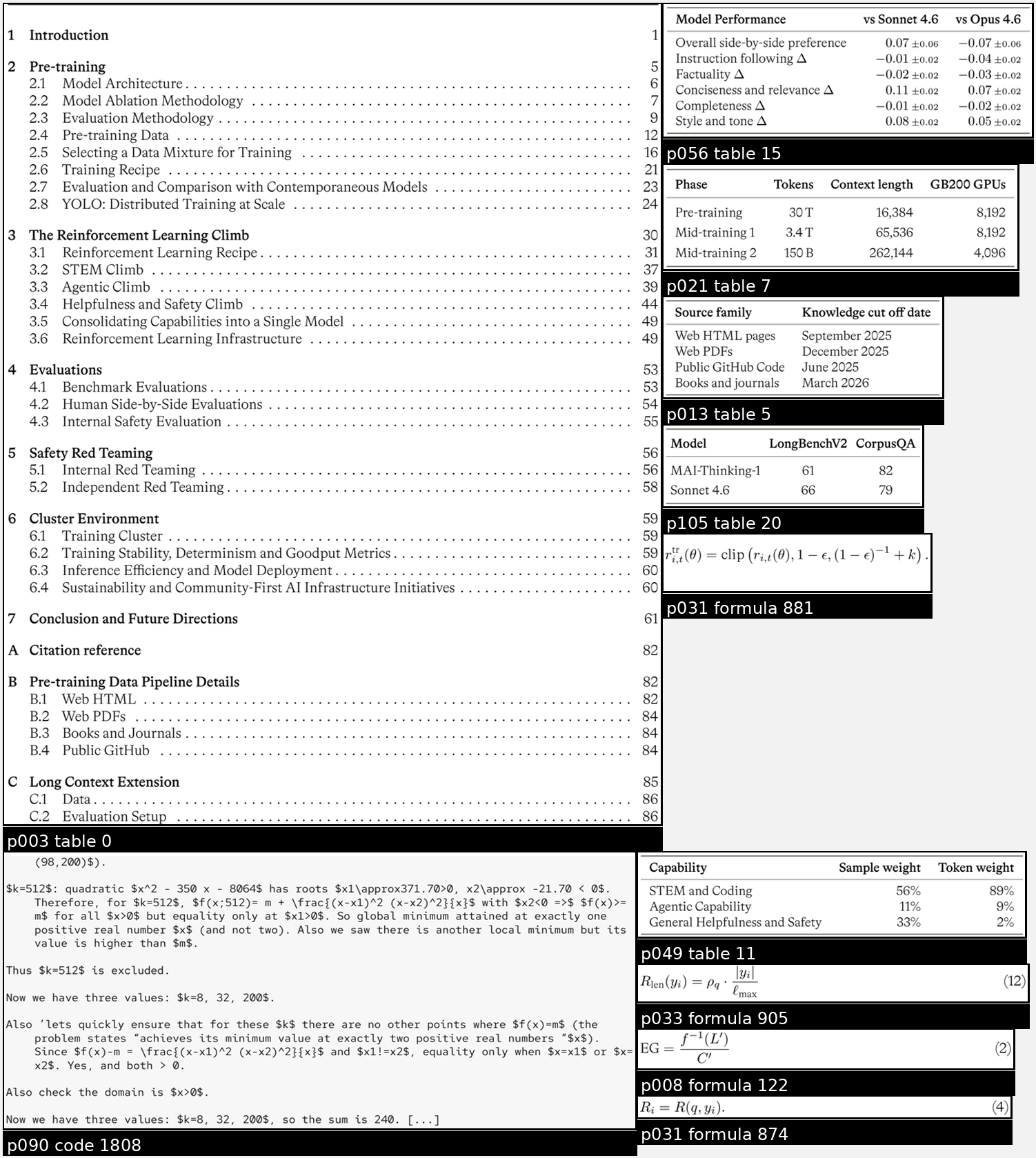
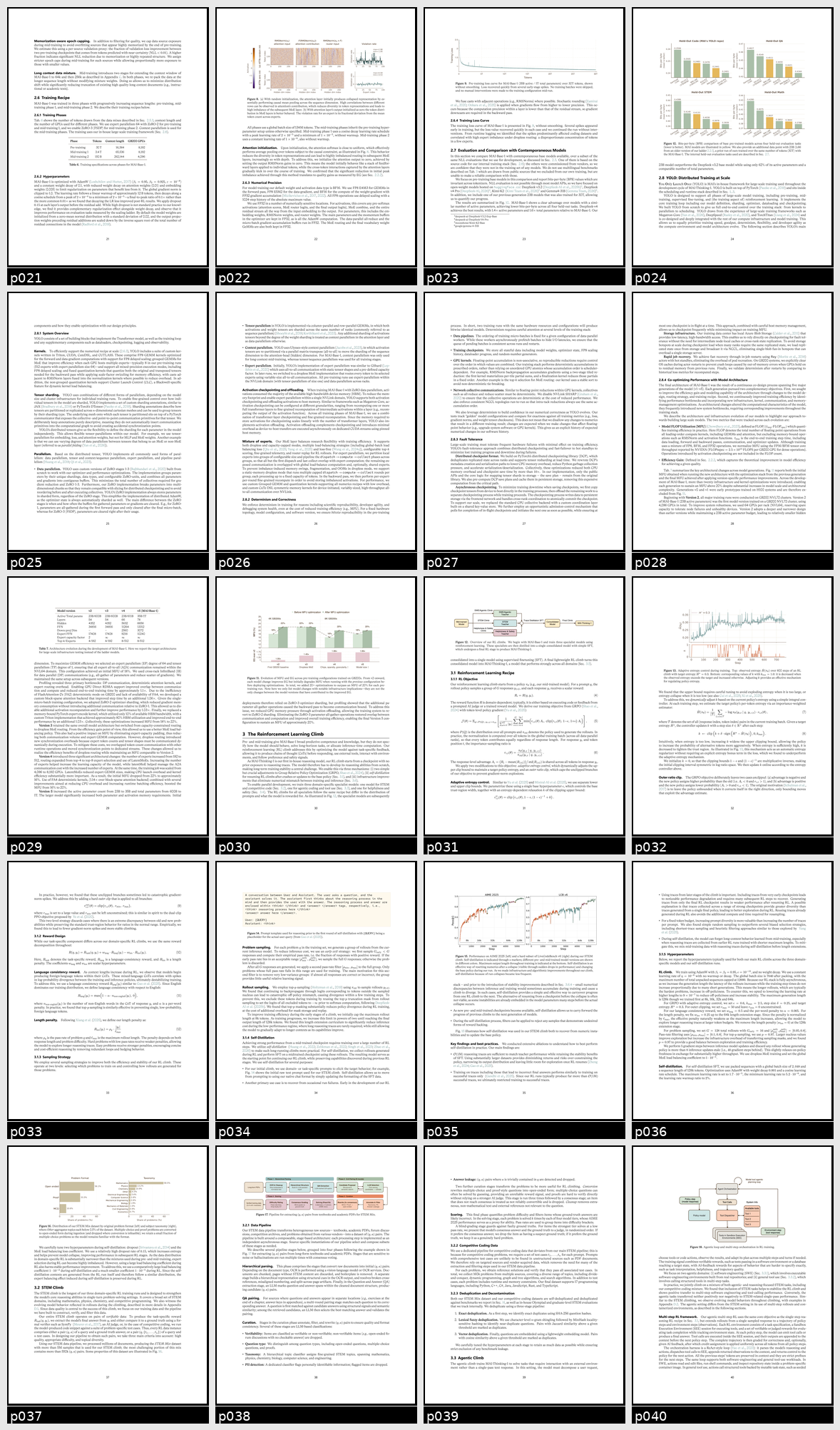
Claude's native PDF path is page-native--each page becomes extracted text plus a page image, and Claude analyzes that paired text/image representation. That's great, and I'd prefer this in a perfect world but testing this method of ingesting the page images one by one was slow. I switched the interactive-understanding skill to sheet-native instead. iu-context-pack runs Docling, converts referenced page images to WebP, crops Docling-detected code/formula/picture/table bboxes, then builds two visual views: low-res page overview sheets and dense crop contact sheets. This means fewer image uploads and faster processing, and a quicker turnaround to asking questions about the paper.
Claude gives the model one visual page per PDF page. interactive-understanding instead gives the terminal agent full local reading-order text in text.md, 4x5 page sheets for global layout, max-rects-packed crop sheets for figures/tables/equations/code, and individual crop files when the model needs the crop image in higher resolution. This lowers attachment count and keeps all artifacts inspectable/local.
GPT 5.5 specific implementation #
I use GPT 5.5, so the sheet sizes have to work with OpenAI's image path. OpenAI's file docs say PDF inputs on vision models extract both text and page images, with PDF detail controlling page-image fidelity: low is default, and high is for dense charts, small print, or diagrams (OpenAI file inputs). OpenAI's GPT-5.5 vision docs use 32x32 patch tokenization. high allows up to 2,500 patches/2048px, while original allows up to 10,000 patches/6000px--on GPT-5.5, auto maps to original (OpenAI vision).
Current Codex CLI image attachments default to high, not original, so a 2200x2600 sheet would be downscaled to the smaller high-detail budget. Pi's OpenAI/Codex path sends detail: auto, but Pi still preprocesses large images before sending them. There does not appear to be a separate Codex image processor--it appears to be the same OpenAI vision path with different client defaults.
So interactive-understanding is conservative by default. It generates sheets that fit the Codex high-detail budget rather than assuming every client will preserve GPT-5.5's full original budget. Crop sheets pack into a high-detail-safe rectangle, and page overview sheets split when needed. The knobs are exposed as --sheet-max-dimension, --sheet-patch-size, and --sheet-max-patches if a future model/client changes the budget.
The workflow #
In Pi, the workflow is:
- Load the full paper context via
/skill:interactive-understanding. - Auto-loads the notes location if I'm using Basic Memory, otherwise creates notes in
tmp/{paper}/context-packunless the user explicitly states a different location. - In
/tree, label the assistant message that confirms the full context load. - Filter the tree to that label.
- Ask questions from that point. For me, that's just pasting a screenshot of the section with my question.
/treeback to label after each answer to have fresh context with full paper load.- Questions, explanations, follow-up reading notes, and other notes kept in Basic Memory or Markdown.
The point is to keep every question attached to the full paper context. The model can use the loaded paper, the conversation history, and the paper notes instead of working from a compressed summary after compaction.
I'm still experimenting with using session /name and then /clone to run multiple Pi sessions in parallel at the fully loaded context point, but I'm not sure yet if that is the right workflow for this.
Example outputs #
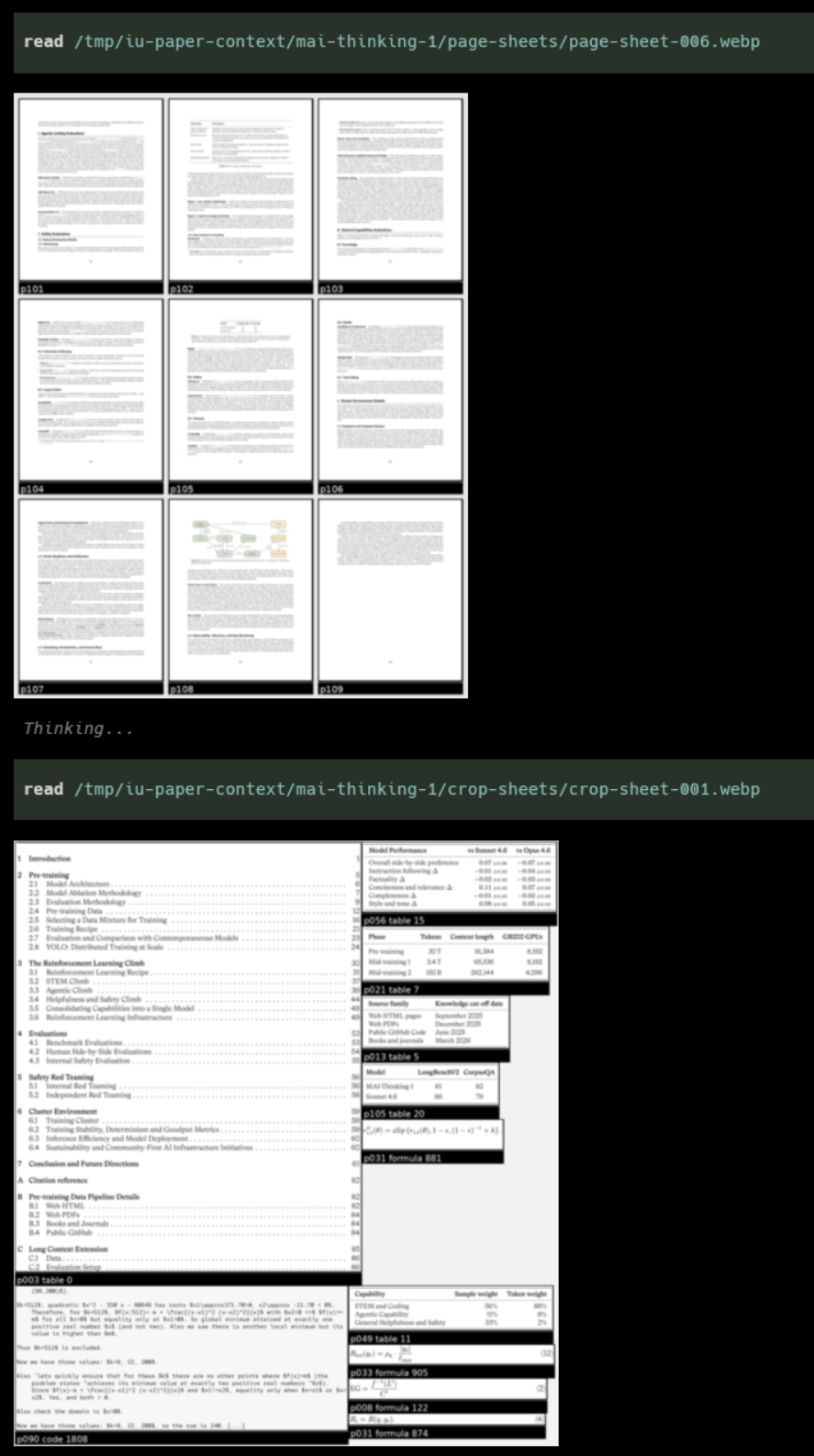
Pi using the loaded paper context:
A crop sheet of detected figures, tables, equations, and code blocks:
A page overview sheet for quick layout scanning:
Docling testing for those interested #
I tested this mostly on the MAI-Thinking-1 paper because it is long enough to stress test the system and has lots of things a parser can mess up: figures, tables, equations, code/prompt panels, captions etc. I built a small gold set of non-text objects and scored Docling variants against it rather than just eyeballing the Markdown.
I suspected there might be a difference in extraction quality across the different backends, so I benchmarked all of the CPU-capable backends. Native/no-OCR, RapidOCR ONNX, RapidOCR torch CPU, EasyOCR, Tesseract, tesserocr, and TableFormer fast all produced essentially the same non-text labels and bboxes on this embedded-text PDF. Most full-document CPU runs took about 2.3-2.8 minutes.
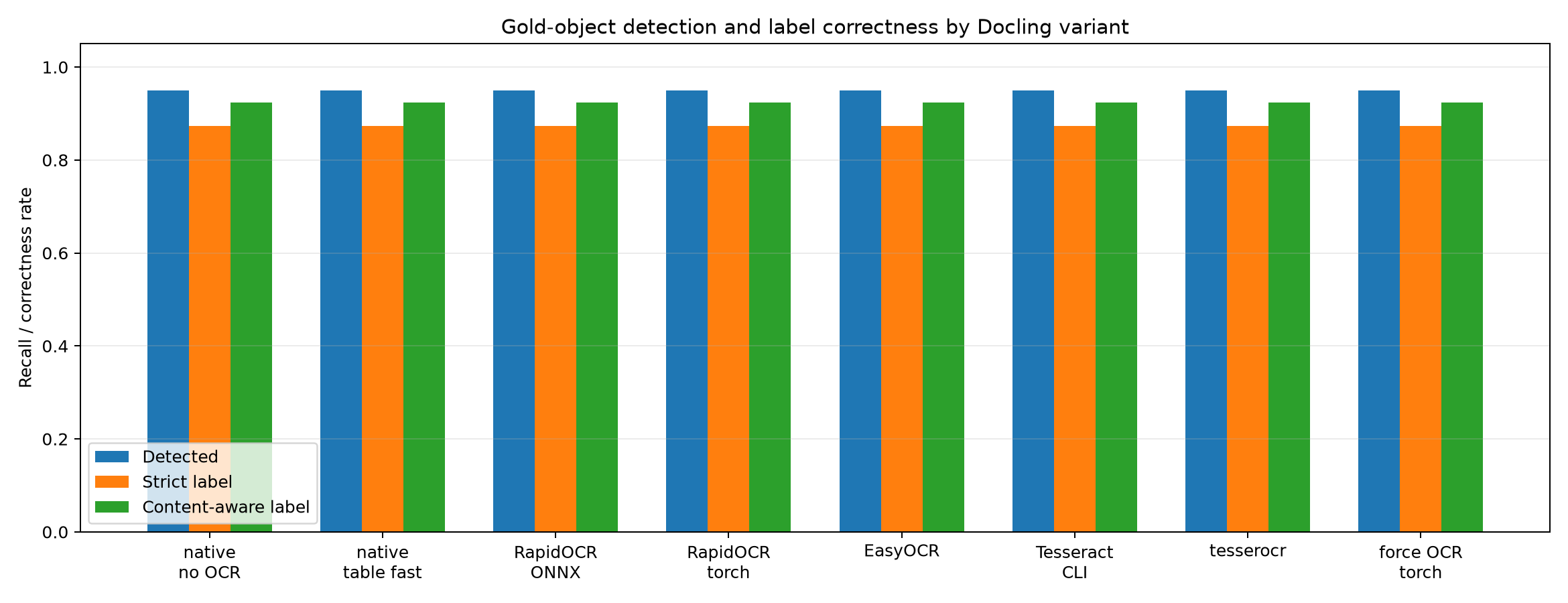
The headline score was: standard Docling found 75/79 gold non-text objects. The misses weren't problematic: a logo, one equation that came through as ordinary text, and a partial bbox for one table.
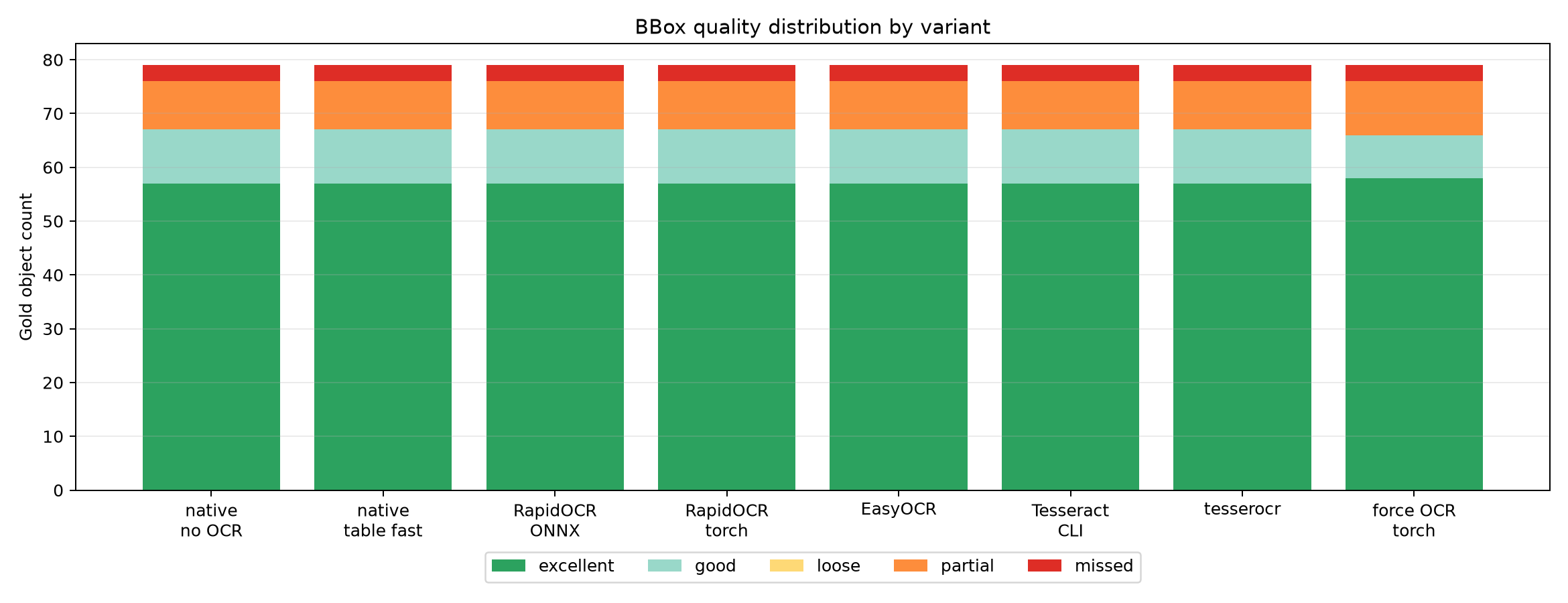
Most matched objects had good or excellent boxes.
I also tested PyMuPDF, MinerU, and Marker. PyMuPDF was mostly fine but not good enough. MinerU and Marker were excellent but both are GPU only in practice. I did a CPU run on MinerU just to be sure and it finished in just over 2 hours.