Pi VS Code Context Bridge #
Extension repo: JoeHelbing/pi-cc-vscode-ext
I have preferences in my coding workflow. I want to use a TUI for the agent, and VS Code for the code, but Claude Code feels like a straitjacket. So I'm in a pickle.
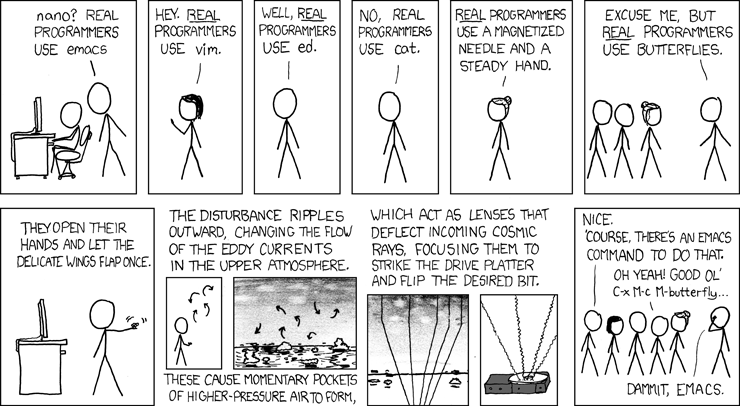
This is apparently a controversial position in programmer culture that feels a lot like the console wars of the mid-2000s: you were either camp Xbox or camp PlayStation. The terminal is good at the things it's good at. VS Code is good at the things it's good at. When coding, por que no los dos?
Claude Code CLI gets one part of this exactly right: its VS Code extension can feed the active file, cursor, and selection into the terminal agent. Unfortunately, Claude Code also comes with a fairly opinionated agentic coding environment around it that I happen to disagree with, and I've been building my own lighter and more malleable Pi workflow to fit my preferences.
So I stole the useful bit.
The shape of the problem, at least for me, has three parts #
Not great, not terrible #
To make actually polished projects, I still find that agents aren't at the point where you can tell them to "do the thing" and get a well-structured and stable system out the other end. The useful workflow is more back and forth--you decide the shape of the system, inspect what the agent did, steer it away from bad paths, and keep involved enough that the codebase does not slowly turn into soup.
I will admit the irony of this statement, as I don't write TypeScript, and this extension is written in TypeScript pretty much entirely by agents with guidance and testing from my side. For a personal-use thing like this, I don't see much of a contradiction there. With the right guardrails, I actually think the personalization afforded by coding agents makes Linux a better option than Windows for the average user now.
Agentic coding systems make reasonable default choices, which is the problem #
Codex and Claude Code are good tools, especially if you are new to terminal agent workflows. They bake in a lot of sensible defaults. The trouble is that those defaults short-circuit customized workflows that differ from the base expectation. It feels a bit like bumper bowling. The rails are useful if you are new and mostly trying to avoid the gutter, but they make it almost impossible to throw a proper strike.
Render unto Caesar the things that are Caesar's #
Programming has such a strange culture of maximalism around the terminal. It's good for many things, but not for everything. I use the terminal extensively. In the long term, I don't think TUI-based agents will be the best method of interacting with agentic coding models. For now the terminal's flexibility outweighs the limitations imposed by GUI options like Claude or Codex, and even the agentic systems in VS Code-based IDEs. VS Code does still excel at the thing it was originally designed to do, which is directly interacting with code.
Claude Code CLI has a great feature where it integrates with VS Code to pull in the context from the active window, so you can work on individual files, select individual variables, functions, and classes, and directly interact with the code and the agent simultaneously.
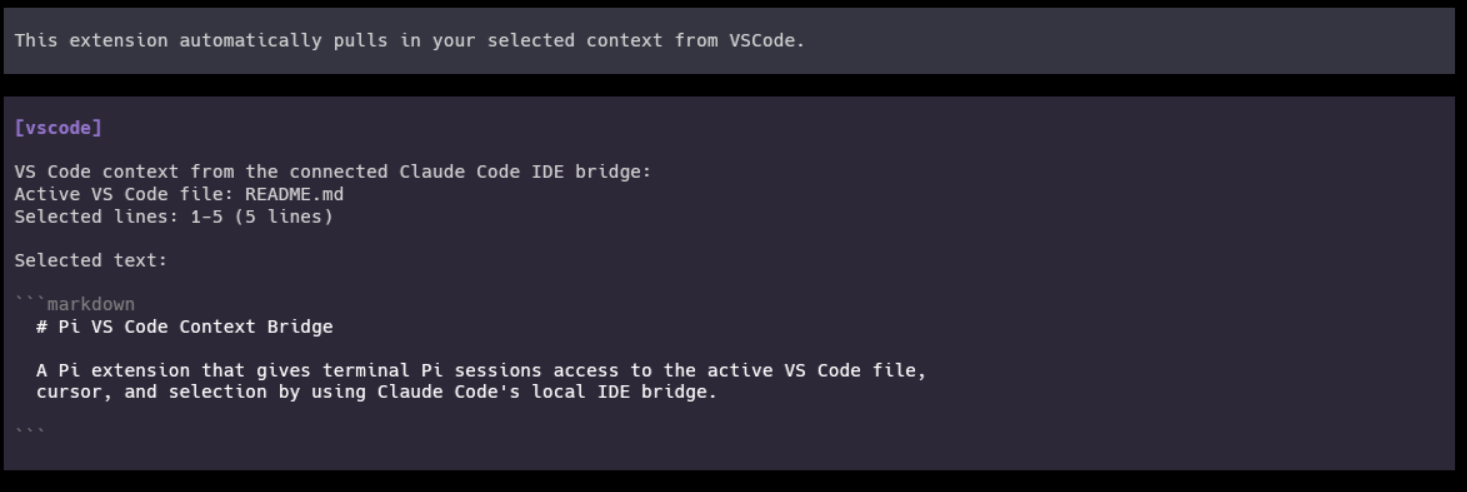
So I decided to reverse engineer how Claude Code interacts with VS Code. This extension reuses the existing Claude Code VS Code extension to co-opt its TUI context injection functionality to automatically pull selected VS Code context into Pi, so terminal sessions can see the active file, cursor, and highlighted code from the editor.
I give you the Pi VS Code Context Bridge:
What it does #
- Registers a
vscode_contexttool that the model can call for the current VS Code editor context. - Adds a
/vscodecommand for viewing bridge status, refreshing state, and toggling automatic context injection for the current session. - Shows a compact footer status for disconnected, active-file, and selected-line states.
- Automatically injects changed VS Code context before an agent turn, while deduplicating unchanged context by fingerprint.
- Keeps Claude Code IDE bridge authorization tokens local and out of tool, prompt, and status output.
How it works #
Claude Code's VS Code integration writes local lock files under
~/.claude/ide/*.lock. Each lock records the local WebSocket port, process id,
workspace folders, IDE metadata, and an authorization token.
This extension:
- Reads Claude Code IDE lock files from the local machine.
- Prefers live locks whose workspace contains Pi's current working directory.
- Connects to
ws://127.0.0.1:<port>with the lock token. - Calls Claude Code's MCP-style
getLatestSelectionIDE tool. - Normalizes the active file path, cursor or selection range, selected text, and status summary for Pi.
Authorization tokens are used only for the local WebSocket request. They are not
returned by vscode_context, inserted into model context, printed in status
text, or written by this package.
Trying it #
If you want to try it, you need Pi with package extension support, Node 22.18 or newer, and VS Code connected through Claude Code's extension.
pi install npm:[email protected]
If you want to pin it in Pi's managed package list, the settings fragment is:
{
  "packages": [
    "npm:[email protected]"
  ]
}
Then start Pi from the same workspace you have open in VS Code. If the Claude Code IDE bridge is active, Pi will pick up the active file, cursor, and selection automatically.
Use the slash command for interactive control:
/vscode
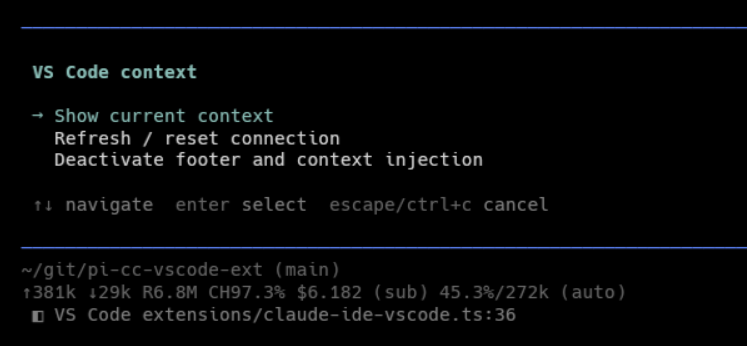
The command shows the current bridge status and includes actions to refresh, reset automatic injection state, or toggle automatic injection for the session.
Caveats #
- Claude Code's local IDE bridge and lock-file format are not public Pi APIs and may change.
- The bridge only works when Claude Code's VS Code integration is running on the same machine as Pi.
- Selected text may be truncated before prompt injection to avoid oversized context.